
How to split a PDF to send over WhatsApp, Gmail, or Outlook
Few things are more frustrating than preparing an urgent legal contract, audit report, or high-resolution portfolio only to receive an instant mail bounce error: "Attachment size exceeds the allowed limit". Here is how to navigate messaging limits and safely split large documents into clean, professional attachments.
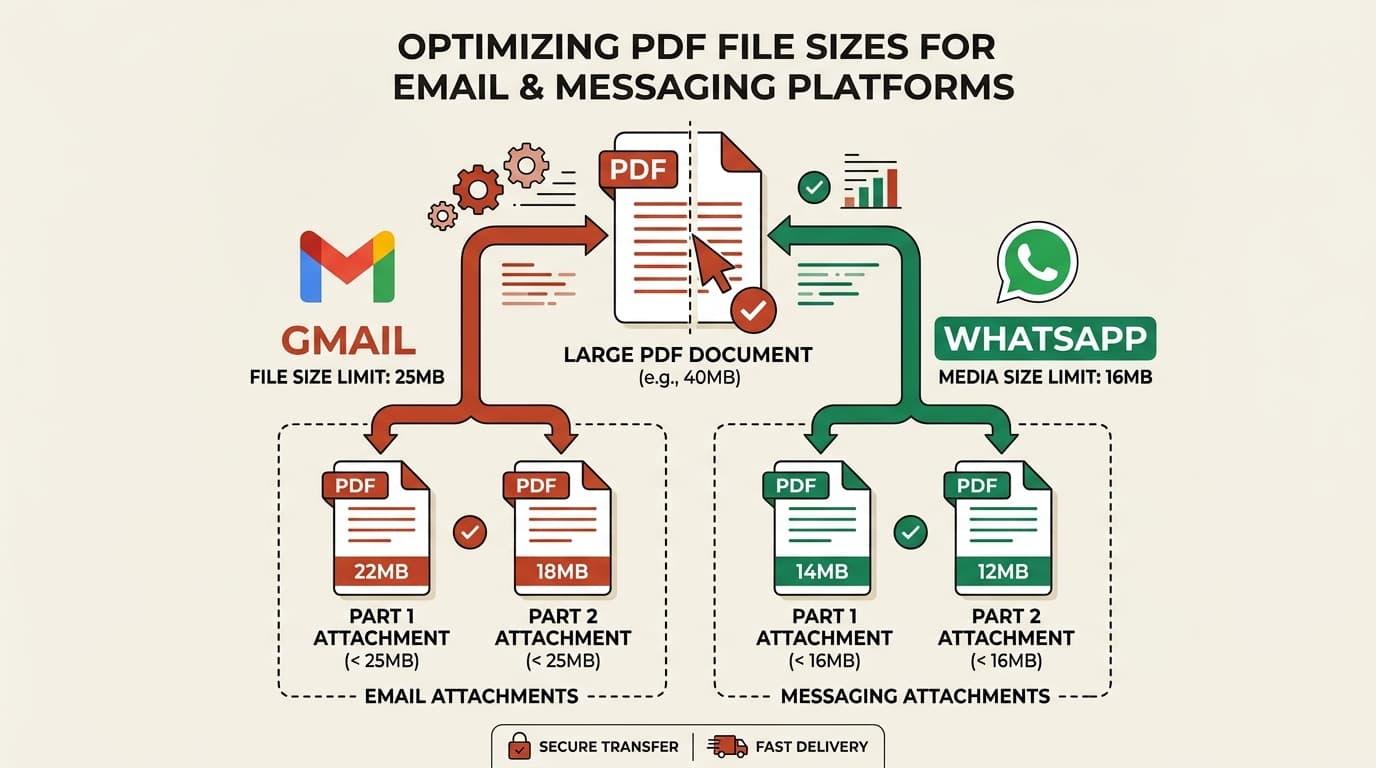
Platform file attachment limits (WhatsApp, Gmail, Outlook, Discord)
Every communication channel imposes distinct file transfer limits governed by mail server gateways, storage bandwidth, and mobile network constraints:
| Channel / Platform | Advertised Limit | Safe Effective File Ceiling | Failure Behavior |
|---|---|---|---|
| Gmail / Google Workspace | 25 MB | 18 MB – 19 MB | Forces Google Drive link (requires external permissions) |
| Microsoft Outlook / Exchange | 20 MB – 35 MB | 15 MB | Immediate bounce-back error code (552 5.3.4) |
| WhatsApp (Mobile) | 16 MB (Media) / 100 MB (Docs) | 25 MB | Upload retry loop on 4G/5G mobile connections |
| Discord (Free Tier) | 25 MB (formerly 8 MB) | 24 MB | Hard block demanding Nitro subscription |
| Apple Mail (Standard) | 20 MB | 15 MB | Prompts for Mail Drop (30-day link expiry) |
The 33% base64 encoding tax: Why 22MB files bounce on Gmail
Email was originally engineered strictly for 7-bit ASCII plain text. To transmit binary files (such as PDFs, ZIPs, or images), email clients convert binary octets into ASCII strings using base64 encoding (MIME standard RFC 2045).
Because base64 represents 3 binary bytes as 4 ASCII characters, it introduces an inevitable ~33% file size inflation. Furthermore, email headers, MIME boundary delimiters, and signature blocks add extra overhead.
A 20 MB binary PDF × 1.33 = 26.6 MB email payload (Breaches Gmail's 25MB ceiling).
Rule of Thumb: Never attach a single PDF larger than 18.5 MB if you want it to land reliably in any inbox.
Step-by-step: Splitting by target size vs. splitting in half
Depending on your document structure, choose the optimal splitting workflow:
Split by Target Size (Automatic)
Best for multi-chapter reports and image portfolios. Set a ceiling of 15MB or 20MB, and let the tool calculate exact page thresholds.
Split PDF by file size threshold →Split in Half (Part 1 & Part 2)
Best when a file is slightly over the limit (e.g. 28MB). Dividing the file in half yields two clean 14MB attachments for two sequential emails.
Split PDF in half in one click →Professional multi-part file naming best practices
When delivering split documents to clients, courts, or tax authorities, ambiguous file names create confusion. Always follow this structured naming convention:
Example: AcmeCorp_Audit_FY2026_Part_1_of_3.pdf. This ensures the recipient understands that the file is part of a complete multi-document package.
Privacy, metadata, and security before emailing confidential records
Before sending files containing tax information (ITR acknowledgments, PAN copies), medical records, or corporate financials, remember:
- Extract only necessary schedules: Avoid sending a complete 80-page loan agreement if the auditor only requested Schedule B. Use page extraction to isolate those 3 pages.
- Avoid public cloud converter upload links: Sending temporary links generated by traditional converters exposes your file to third-party expiration and cloud indexing.
- Process locally on-device: Using pdfsplitter.in ensures zero byte retention before you hit send.
Written by the pdfsplitter.in Security & Engineering Team
Specialists in client-side WebAssembly cryptography, browser document sandboxing, and zero-trust web architectures.
Related Guides & Tutorials
How to Split a PDF File: The Complete Guide
Every way to split a PDF explained — by page range, into separate single-page files, in half, or by size.
How to Split PDFs Without Adobe Acrobat
Free desktop and in-browser methods to split pages without recurring software subscriptions.
Need to split your PDF under 25MB right now?
Divide by file size or split in half locally in your browser. 100% free and instant.